Step 2: Calculate Terminal Value (TV)
Once the forecast period ends, calculate the terminal value to capture future earnings beyond Year 5. You do this by using the following formula where g = the long-term growth rate and r = the discount rate.
Terminal Value (TV) = Final Year Cash Flow × (1 + g) ÷ (r − g)
For instance, if the final year’s cash flow is $29.24M, the long-term growth rate (g) is 3%, and the discount rate (r) is 4% the terminal value equals $3,011.72M.
Step 3: Discount Cash Flows To Present Value
Now that you have your projected cash inflows and terminal value, the next step is to discount them back to today’s value using the discount rate. This converts future earnings into what they’re worth right now.
Using the example above and a 4% discount rate, the calculation looks like this:
DCF = (26.25 / 1.04^1) + (27.56 / 1.04^2) + (28.11 / 1.04^3) + (28.67 / 1.04^4) + (29.24 / 1.04^5) + (3011.72 / 1.04^5)
When you add these together, the discounted cash flow value comes to $2,599.66M.
Step 4: Interpret the Results
All you need to do now is compare this figure to the company’s current market-based valuation or stock price and see how it stacks up against competing investments. In our example, the company’s enterprise value is approximately $2.6B when adjusted for discounted cash flow, meaning buying the company for less than that amount would likely deliver returns above the initial cost.
How Do You Calculate DCF in Excel?
If you want to perform a discounted cash flow analysis on the computer with Microsoft Excel, there isn’t a specific formula for it. However, you can set up a spreadsheet to perform the calculations for you.
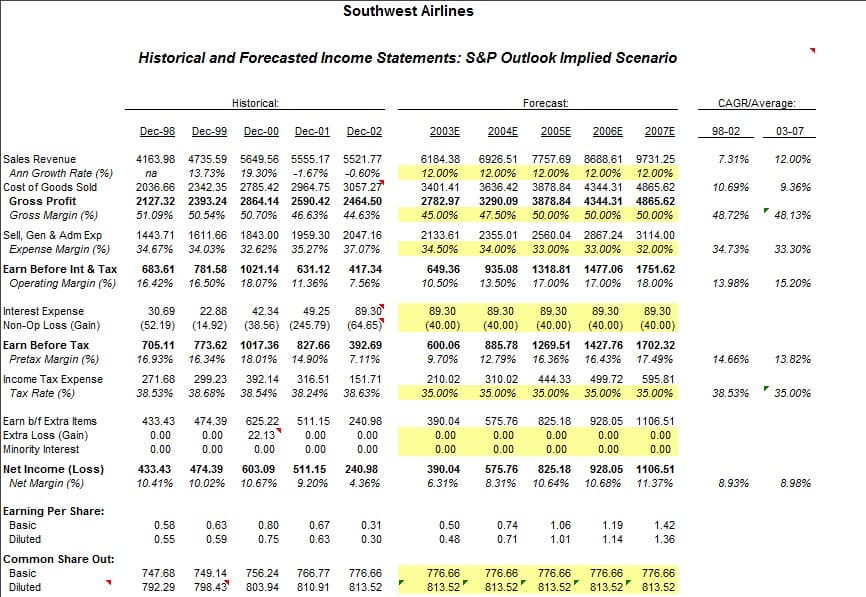
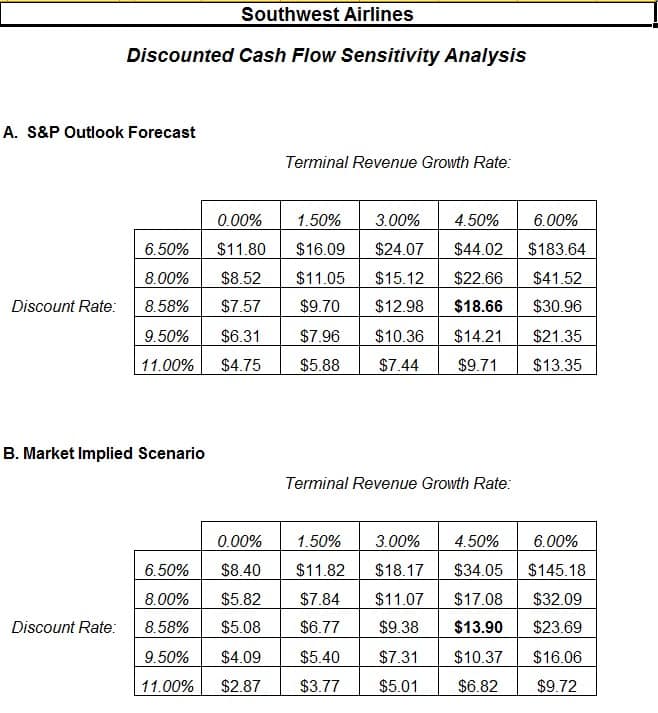
Here’s an example of what an Excel spreadsheet for a discounted cash flow analysis looks like: